
Snapshot chains and lineage
Learn how linked volume snapshots record their order in a chain, why every snapshot stays a full copy, and what happens when you delete one.
A snapshot chain records the order in which a volume's snapshots were taken. Each linked snapshot points to the snapshot before it, its parent. The link is lineage only: every volume snapshot is a full copy of its volume that you can restore and delete on its own.
How a chain forms
When you create a volume snapshot, Link to previous snapshot decides where the snapshot goes:
- Turned on (the default). The snapshot's parent is the volume's most recent snapshot that still exists. If the volume has no snapshot yet, the new snapshot starts a chain.
- Turned off. The snapshot starts a new chain. It's marked Full.
For example, snapshots db-01-data-2026-10-01 and db-01-data-2026-10-08 of the same volume, the second one linked, form a chain of two: the second snapshot's parent is the first one.
Snapshots that you create for several volumes at once from the volume list are always linked.
Only volume snapshots form chains. Instance restore points aren't linked to each other.
What a link means
A link records order and nothing more:
- Every snapshot is a full copy. A linked snapshot has the full size of its source volume. Linking doesn't reduce its size or its cost.
- Every snapshot restores on its own. You can create a volume from any snapshot in a chain, without the snapshots before it.
- Every snapshot deletes on its own. Deleting a snapshot doesn't affect the other snapshots in its chain. A snapshot whose parent you delete stays, and the list shows it at the top level, still marked Linked.
Snapshots do depend on their source volume: a volume can't be deleted while it has snapshots, linked or not.
Where you see the chain
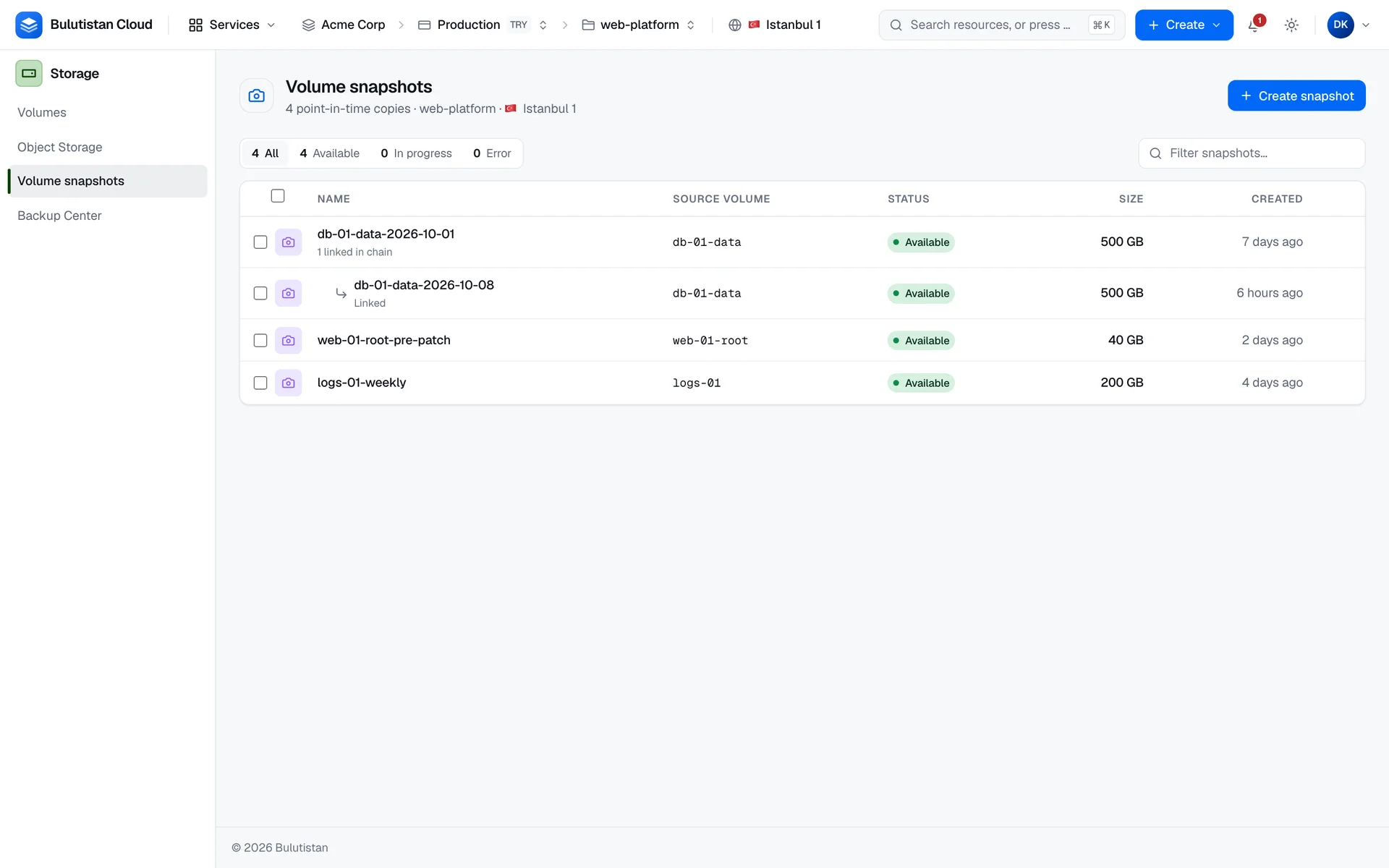
- In StorageVolume snapshots, a linked snapshot is shown under its parent, marked Linked. When you sort the list by a column, the snapshots are sorted instead of grouped by chain.
- On a snapshot's page, Type shows Linked or Full, Chains from shows the snapshot's parent, or Chain root for a snapshot that started its chain, and Chained snapshots counts the snapshots linked directly to it.
When to use chains
Use a chain for a series of snapshots of the same volume, such as one before every release, so you can see their order at a glance. Start a new chain when a snapshot begins a new series, for example after a major change to the volume.
For copies on a schedule that are kept for a set time, use backup plans in Backup Center. See What is Backup Center?.