
What is Backup Center?
Learn how Backup Center protects Block Storage volumes with backup plans, scheduled and incremental runs, and recovery points, and which dimensions are billed.
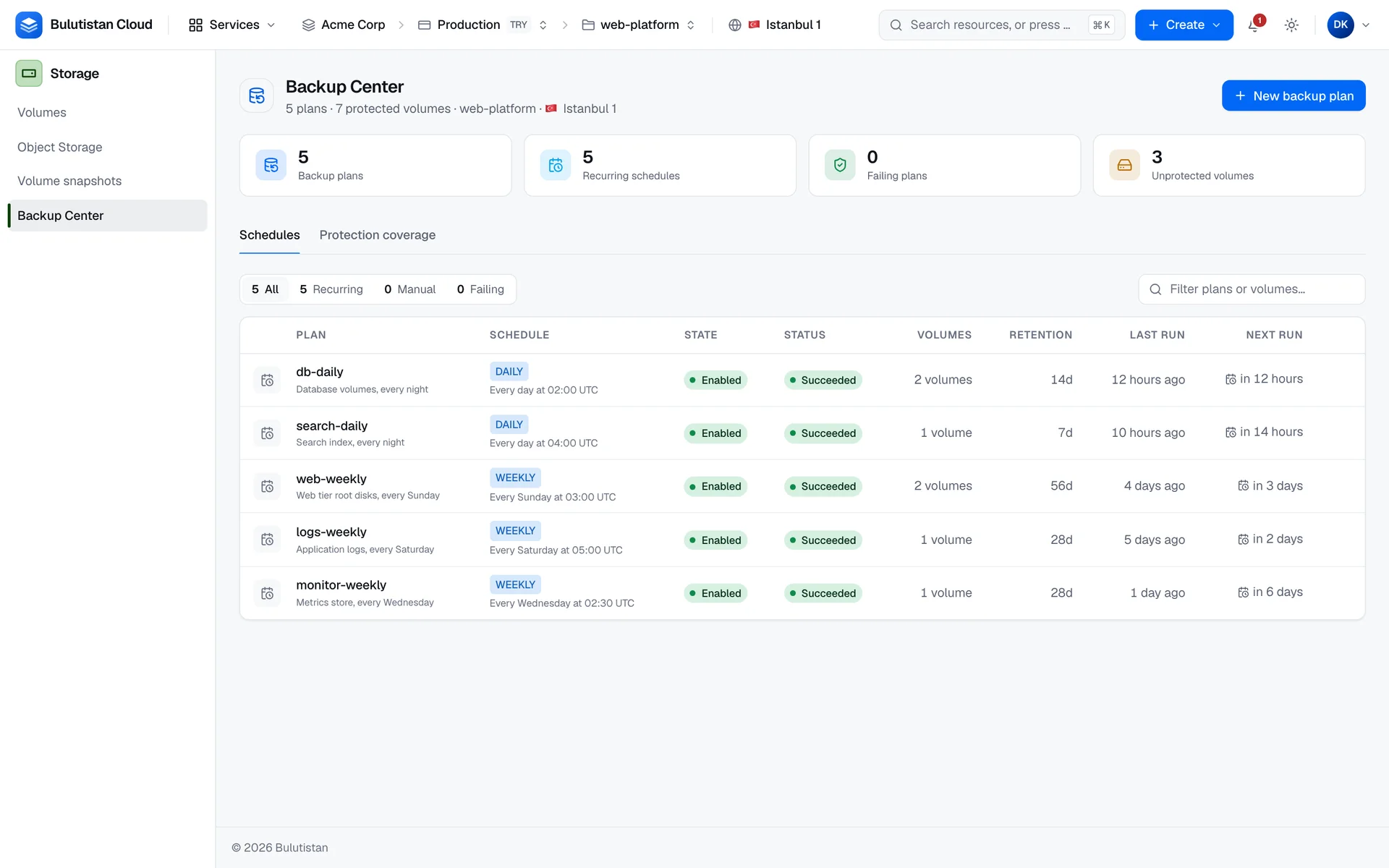
Backup Center protects your Block Storage volumes with backup plans. A plan sets when backups run and how long they're kept. You assign volumes to it, and each run backs up every assigned volume into a recovery point that you can restore from. Backup Center also shows which volumes of the project no plan protects.
Key features
- Backup plans. Back up volumes daily, weekly, monthly, or on demand, at a time in UTC, and keep each backup for a retention window from 1 to 3,650 days. See Create and manage backup plans.
- One plan for many volumes. Assign volumes when you create a plan or later, and select them by tag. See Assign volumes to a plan.
- Incremental backups. After a full backup, later runs take incremental backups until the platform starts a new full one. See Backup runs and incremental copies.
- Per-volume results. See what happened to each volume in a run, and retry only the volumes that failed. See Per-volume results.
- Restore into a new volume. Restore a recovery point into a separate volume and leave the original untouched, or restore over the source volume. See Restore a volume from a recovery point.
- Protection coverage. Find the volumes that no plan protects, and the volumes whose last backup failed. See Find unprotected volumes.
How it works
A backup plan belongs to a project. It holds the schedule, the retention window, and whether runs are incremental. A volume can belong to one plan at a time, and a plan can protect many volumes.
When a scheduled time arrives, or when you run the plan yourself, the platform starts a run. A run backs up each volume assigned to the plan separately, and it records a result for every volume. A volume that's attached to a running instance is backed up while it's in use. With incremental backups on, the first backup of a volume in a plan is a full backup, and later backups are incremental while the chain of backups is short and recent.
Every successful backup becomes a recovery point. A recovery point is deleted automatically when its retention window ends, unless a newer incremental backup still depends on it. You restore one recovery point of one volume at a time.
Backup Center is available in a project when the project's region offers volume backups.
Use cases
- Nightly backups of data volumes. Back up database and application volumes every night, and keep the backups for a few weeks.
- Backups before a change. Run a plan on demand before an upgrade or a migration.
- Recovery from mistakes. Restore a volume's data from before a bad change into a new volume, and compare it with the current data.
Billing
Backup Center bills these dimensions:
| Dimension | How it's billed |
|---|---|
| Recovery points | Per GB-month for each recovery point, at the size of its source volume, whether it's a full or an incremental backup. Billing starts when the backup completes and ends when the recovery point is deleted. |
| Restored volumes | A volume that you restore into is a Block Storage volume and is billed like one. |
Backup plans themselves aren't billed. Because every recovery point is billed at the full size of its volume, a plan's cost grows with the number of recovery points that its retention window keeps. For how usage becomes charges on your invoice, see How billing works. For prices, see Pricing.
Limits
- A volume can belong to one plan at a time.
- Retention windows are 1 to 3,650 days.
- Run times are in UTC. Monthly plans run on a day from 1 to 28.
- A plan has at most one run in progress.
- The subscription's quota and the project's allocation of Volume Backups and Backup Storage limit the backups in each project. See Quotas.
For the limits of all services, see Service limits.
Related services
- Block Storage: the volumes that backup plans protect.
- Snapshots: point-in-time copies of volumes and instances.
- Virtual Machines: the instances that use your volumes.
- Cost Management: analyze and budget your spend.
Next steps
Create and manage backup plans
Set a schedule, a retention window, and the volumes to protect.
Backup runs and incremental copies
Run outcomes, full and incremental backups, and retention.
Restore a volume from a recovery point
Get a volume's data back from a recovery point.
Find unprotected volumes
See which volumes no plan protects.