
What is Block Storage?
Learn what Block Storage volumes are, how they attach to virtual machines, which copies they support, and which dimensions you're billed for.
Block Storage provides volumes: persistent block devices that you attach to virtual machines. A volume keeps its data independently of any instance: it survives restarts and stops, and a data volume stays when the instance it's attached to is deleted. Every instance boots from a volume, its OS disk.
Key features
- Several sources. Create an empty volume, or start from an image, a volume snapshot, or a copy of another volume. See Create a volume.
- Volume types. Choose a storage tier for each volume. Each type has its own price per GB-month. See Volume types.
- Attach and detach. Attach a volume to an instance in the same project, and detach it to use the data elsewhere. See Attach and detach a volume.
- Extend while attached. Make a volume larger, also while an instance uses it. See Extend a volume.
- Snapshots. Take point-in-time copies of a volume, and create new volumes from them. See Create volume snapshots.
- Organize and clean up. Rename volumes, tag them, and delete the ones that you no longer need. See Rename, tag, and delete volumes.
- Protection. Turn on deletion protection, and back volumes up on a schedule with Backup Center. See Protect a volume.
How it works
A volume belongs to a project and lives in the project's region. Its size is set in whole GB, from 1 to 16,384 GB, and it can grow but not shrink. Its type decides the storage class that the cloud provisions it on and the rate that it's billed at.
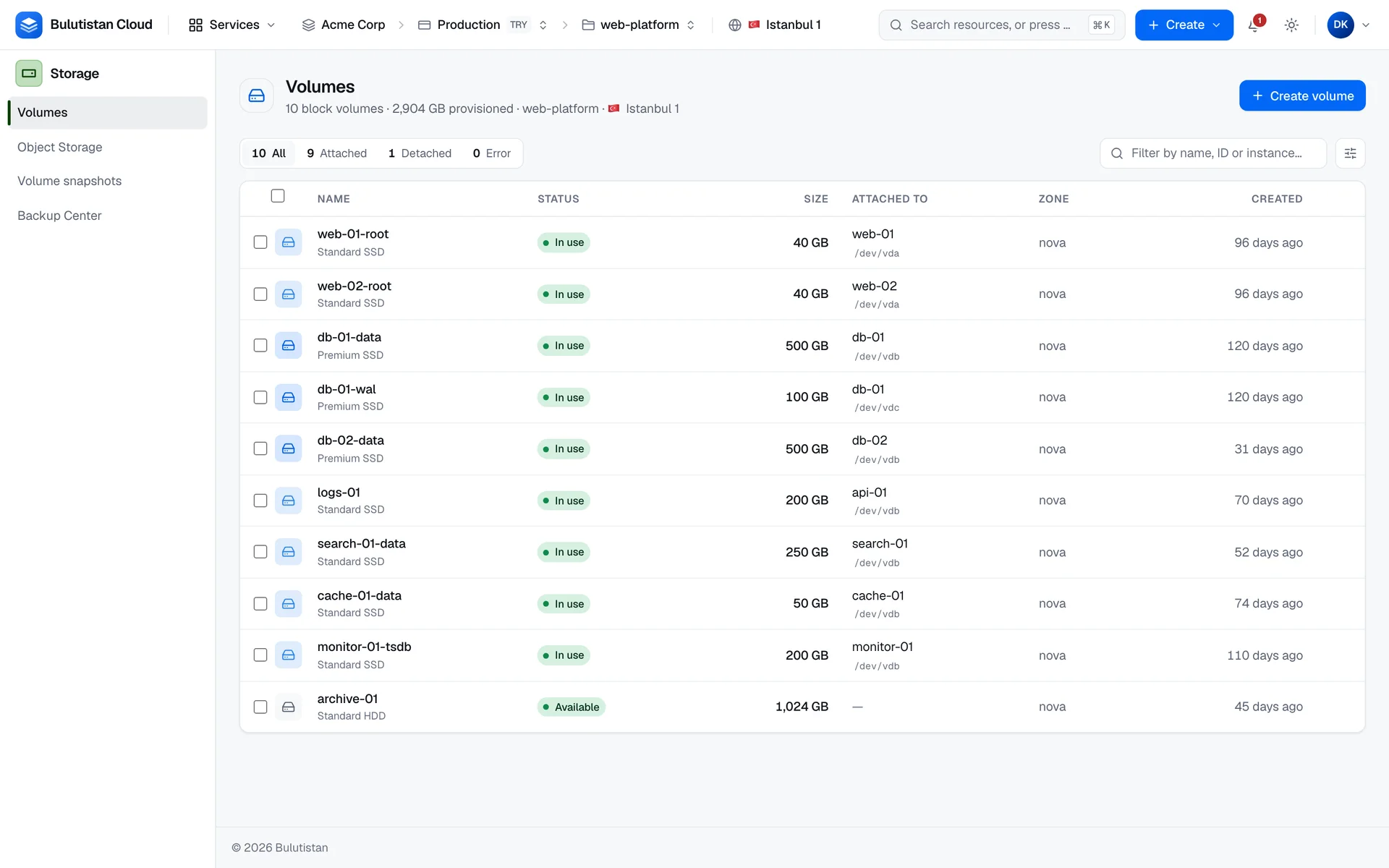
A volume is attached to one instance at a time. While it's attached, its status is In use, and the console shows the instance and the device path that the cloud reported for it. An empty volume has no file system: you format and mount it in the instance's operating system before you use it.
The OS disk of each instance is a volume too, and it's listed with your other volumes. Data disks that you add in the creation wizard are ordinary volumes. They're kept when you delete the instance.
A volume's snapshots depend on it: a volume can't be deleted while it has snapshots. For scheduled copies with a retention period, use backup plans in Backup Center.
Use cases
- Application data. Keep databases and application files on data volumes, separate from the OS disk, so you can replace the instance without moving the data.
- Move data between instances. Detach a volume from one instance, and attach it to another one in the same project.
- Copies before changes. Snapshot a volume before an upgrade or a migration, and create a new volume from the snapshot if you need the earlier state.
Billing
Block Storage bills these dimensions:
| Dimension | How it's billed |
|---|---|
| Volume storage | Per GB-month of the provisioned size, at the rate of the volume's type, from creation for as long as the volume exists, attached or not. |
| Volume snapshots | Per GB-month of the snapshot's size, while the snapshot exists, when the region has a price for snapshot storage. |
A volume whose creation fails isn't billed. Every resource is billed for at least 60 seconds over its lifetime, once. For how usage becomes charges on your invoice, see How billing works. For prices, see Pricing.
Limits
- A volume is 1–16,384 GB, and it can't shrink.
- A volume is attached to one instance at a time.
- A volume can't be deleted while it's attached or while it has snapshots, and the console and the REST API refuse to delete it while deletion protection is on. Restore points and images of an instance also block the deletion of its volumes.
- Volume count and total size count toward the subscription's quota and the project's allocation.
For all limits, see Block Storage limits.
Related services
- Virtual Machines: instances whose OS disks and data disks are volumes.
- Snapshots: point-in-time copies of volumes and of whole instances.
- Images: create bootable volumes from operating system images.
- Backup Center: scheduled backups of volumes.
- Cost Management: analyze your storage spend.