
What is Object Storage?
Learn how Object Storage keeps files in buckets in your project, how uploads and downloads use signed links, and which dimensions you are billed for.
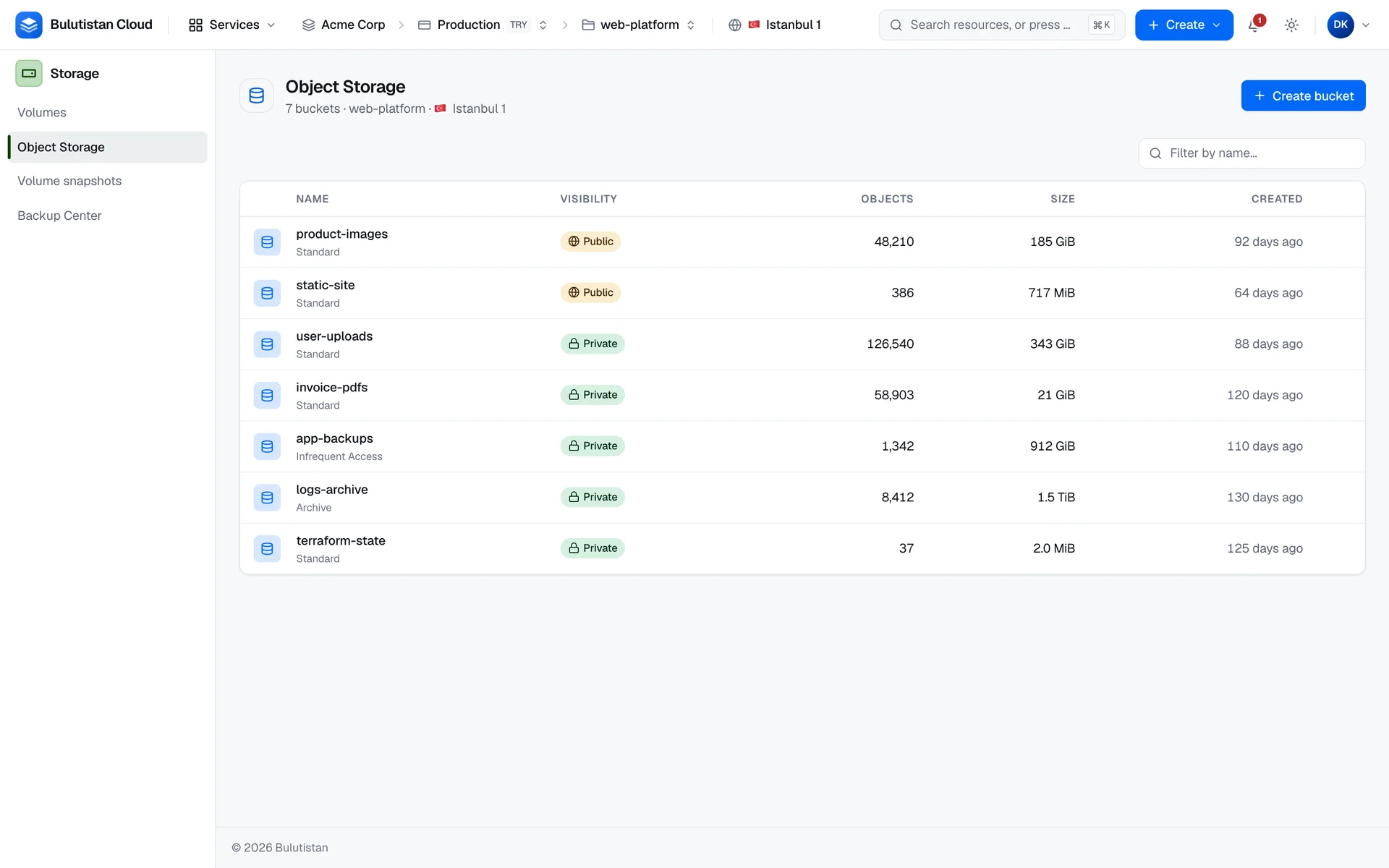
Object Storage stores files, called objects, in buckets in your project. In the console, you create buckets, browse their objects by folder, and upload, download, and delete objects. The data of an upload or a download goes directly between your browser and the object store, through a short-lived signed link for that one object.
Key features
- Buckets in your project. Create a private or a public bucket with a name that's unique in your tenant. See Quickstart: Create a bucket and upload an object.
- Folders and bulk actions. Browse objects by folder, filter them by key, upload several files at once by drag and drop, and delete up to 1,000 objects in one step. See Upload, download, and delete objects.
- Signed links. Every upload and download uses a link that's valid for 15 minutes, for one object and one action. See Signed links.
- Private or public buckets. Keep a bucket private, or let anyone read and list it without credentials. See Bucket visibility and access.
- CORS rules. Let web applications on other origins call a bucket from the browser, and see in the console whether the rules are in force. See Configure CORS rules.
- Signing key rotation. When a member leaves, rotate your project's Temp-URL key. Rotating it invalidates every signed link. See Rotate the Temp-URL key.
How it works
A bucket belongs to a project and is created in the project's region. In the object store, which runs on OpenStack Swift, each bucket is a container in your project's account. Object Storage is available in a project when the project's region offers it.
Objects are identified by their keys. The console derives folders from the keys: it shows a folder for each key prefix that ends in a slash. For example, the object images/logo.png appears as logo.png in the folder images.
Object data never passes through the console's API. When you upload or download a file, the console asks the API for a signed link for that object and that action, and your browser transfers the data directly to or from the object store. The bucket list shows each bucket's object count and total size as the object store reports them.
Use cases
- Files for websites and applications. Serve images, downloads, and documents from a public bucket.
- Browser uploads from your own application. Request signed upload and download links through the REST API, and allow your application's origin with a CORS rule.
- Exports and archives. Keep files that your workloads produce in the same region as your other resources.
Billing
Object Storage bills these dimensions:
| Dimension | How it's billed |
|---|---|
| Stored data | Per GB-month, at the bucket's total size, for as long as the bucket exists. The size is sampled from the object store. |
| Downloaded data | Per GB downloaded from the bucket. Uploads aren't billed. |
The storage class that you choose for a bucket doesn't change how it's billed. For how usage becomes charges on your invoice, see How billing works. For prices, see Pricing.
Limits
- Buckets that you create in the console or through the REST API have names of 3–63 characters, unique among your tenant's buckets.
- Upload and download links are valid for 15 minutes.
- Up to 1,000 objects in one delete.
- Up to 100 CORS rules per bucket.
- Object Storage has a quota in GB: the subscription's quota and the project's allocation. See Quotas.
For the limits of all services, see Service limits.
Related services
- Block Storage: volumes for your virtual machines.
- Backup Center: scheduled backups of your volumes.
- Identity & Access Management: the roles and API tokens that control who can manage buckets.
- OpenStack API Access: application credentials for OpenStack tools, including the Swift API.
- Cost Management: analyze and budget your spend.
Next steps
Quickstart: Create a bucket and upload an object
Create a private bucket, upload a file, and download it again.
Upload, download, and delete objects
Folders, multi-file uploads, the listing, and bulk deletes.
Bucket visibility and access
Private and public buckets, roles, and signed links.
Configure CORS rules
Let browsers on other origins call a bucket.