
What is Identity & Access Management?
Learn how Identity & Access Management controls who can sign in to your organization and what members, service accounts, and tokens can do.
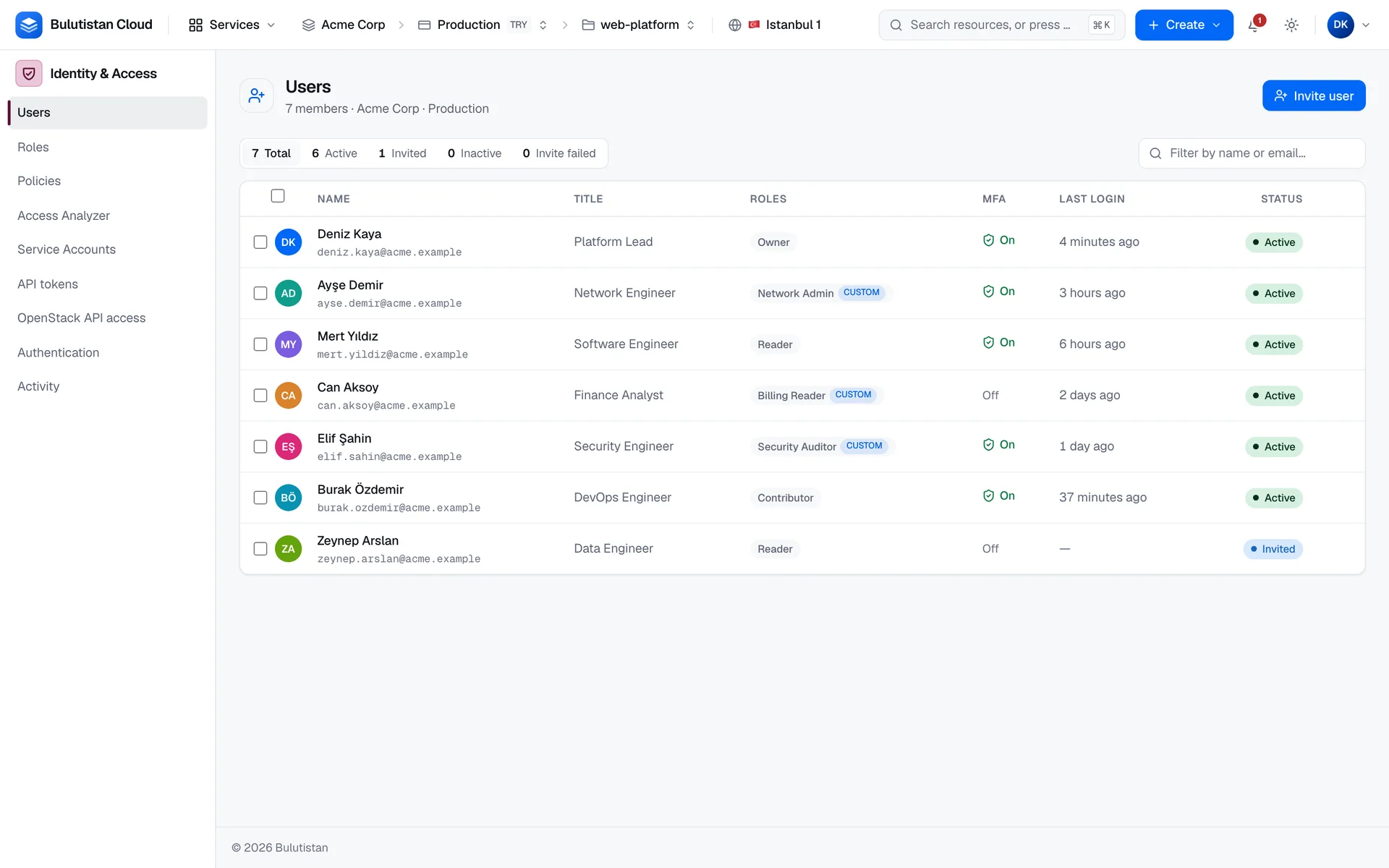
Identity & Access Management (IAM) controls who can sign in to your organization and what they can do there. You invite members, give them roles at the scope they need, require two-factor authentication, and create service accounts and API tokens for automation. You find it in the console under Identity & Access.
Key features
- Members and invitations. Invite people by email with a role and a scope. They set their own password from the invitation link. See Invite and manage members.
- Built-in and custom roles. Four built-in roles, and custom roles that you build from a permission matrix or clone from another role. See Use built-in and custom roles.
- Subscription and project scopes. Grant a role on a whole subscription or on a single project. See Scopes.
- Two-factor authentication. Members sign in with a code from an authenticator app, and an owner can require it in the organization. Recovery codes cover a lost device. See Enforce two-factor authentication.
- Step-up verification. Sensitive actions ask for a fresh code, even in an open session. See Step-up verification.
- Service accounts and API tokens. Machine identities with their own roles, and scoped tokens that act as you. Secrets are shown once. See Service accounts and API tokens.
- Sessions. See every browser signed in to your account, and sign any of them out. See Manage sessions.
How it works
Your organization holds subscriptions, and each subscription holds projects. Members and service accounts belong to the organization. Each gets access through role assignments: a role, such as Contributor, at a scope, either a subscription with all its projects or a single project.
Every request to the console's API is checked against the role assignments that apply to the project. A role grants None, Read, or Manage for each permission resource, such as Compute / Instances or Identity & Access, and when several assignments apply, the highest level wins.
Members sign in with their email address and password, and with a code from an authenticator app when two-factor authentication is on. Service accounts and API tokens don't sign in: they send a secret with each API request.
Use cases
- Onboarding a team. Invite members and give each the role they need, at the narrowest scope that works for them.
- Least privilege. Build custom roles that grant only what a job needs, and assign them on a single project.
- Automation. Give CI/CD pipelines a service account with its own roles instead of a person's credentials.
- Account security. Require two-factor authentication in your organization, and sign out sessions you don't recognize.
Billing
Identity & Access Management has no billing dimensions of its own: members, roles, service accounts, and tokens aren't metered. The resources that members and service accounts create are billed to their subscription as usual. See How billing works.
Limits
- An invitation link is valid for 7 days and works once.
- A service account can have up to 5 keys that aren't revoked, and each key is valid for 365 days.
- After you rotate an API token, the previous secret keeps working for 24 hours.
- A role can be assigned on a subscription or on a project.
For the limits of other services, see Service limits.
Related services
- OpenStack API Access: application credentials for Terraform, the openstack CLI, and Kubernetes.
- Activity Log: the operations run in the console or through the REST API.
- Cost Management: budgets and spend, which the Billing Operator role manages.
Next steps
Invite and manage members
Invite people with a role and a scope, manage invitations, and deactivate or remove members.
Use built-in and custom roles
Choose a built-in role, or build your own.
Enforce two-factor authentication
Require members to sign in with an authenticator app.
Service accounts and API tokens
Give automation its own identity and credentials.