
What is Security Groups?
Learn what Security Groups offers, how rules filter the traffic of your instances, and how groups, ports, and the default group fit together.
Security Groups lets you control which traffic reaches your instances and which traffic they send. A security group is a set of rules that allow traffic. You attach groups to instances and ports, and traffic that no rule of their groups allows is dropped. Security groups are stateful: the replies to allowed traffic are let through automatically.
Key features
- Ingress and egress rules. Allow traffic in and out by protocol, port range, and source or destination. See Security group rules.
- IPv4 and IPv6. Write rules for IPv4 or IPv6 address blocks. See IPv4 and IPv6.
- A security group as the source. Allow traffic from every member of another group, or of the same group. See Source and destination.
- Presets for common services. SSH, HTTP, HTTPS, MySQL, PostgreSQL, RDP, DNS, ping, and all traffic. See Presets.
- Many rules in one go. Add several rules at once, and remove several at once. See Create and edit security groups and rules.
- Warnings for sensitive ports. The rule editor warns you when an ingress rule opens a remote access or database port to the entire internet. See Sensitive ports.
- Default egress rules. A new group allows all outbound traffic, for IPv4 and IPv6, until you change it. See Default rules.
- Associated resources and effective rules. See which instances and ports use a group, and every ingress rule that applies to an instance. See View the effective rules of a virtual machine.
How it works
A security group belongs to a project. It filters the traffic of every port that it's attached to: the network interfaces of your instances, and the ports that you create. A port can have several groups. Rules only allow traffic, so the rules of all the groups add up.
Each project has a security group named default, which the cloud creates. An instance or a port that you create without choosing a group gets the default group. The default group can't be deleted.
The cloud doesn't change a rule in place: editing a rule replaces it. See Edit a rule. A change to a group's rules applies to every port that uses the group. Creating and deleting groups and rules run as asynchronous operations, and the console waits for each one to finish.
Security Groups is available where the project's region offers it. In a region that doesn't, the console leaves Security groups out of the menu, a link to a security group page shows a notice instead of the page, and new security groups and rules are refused.
Use cases
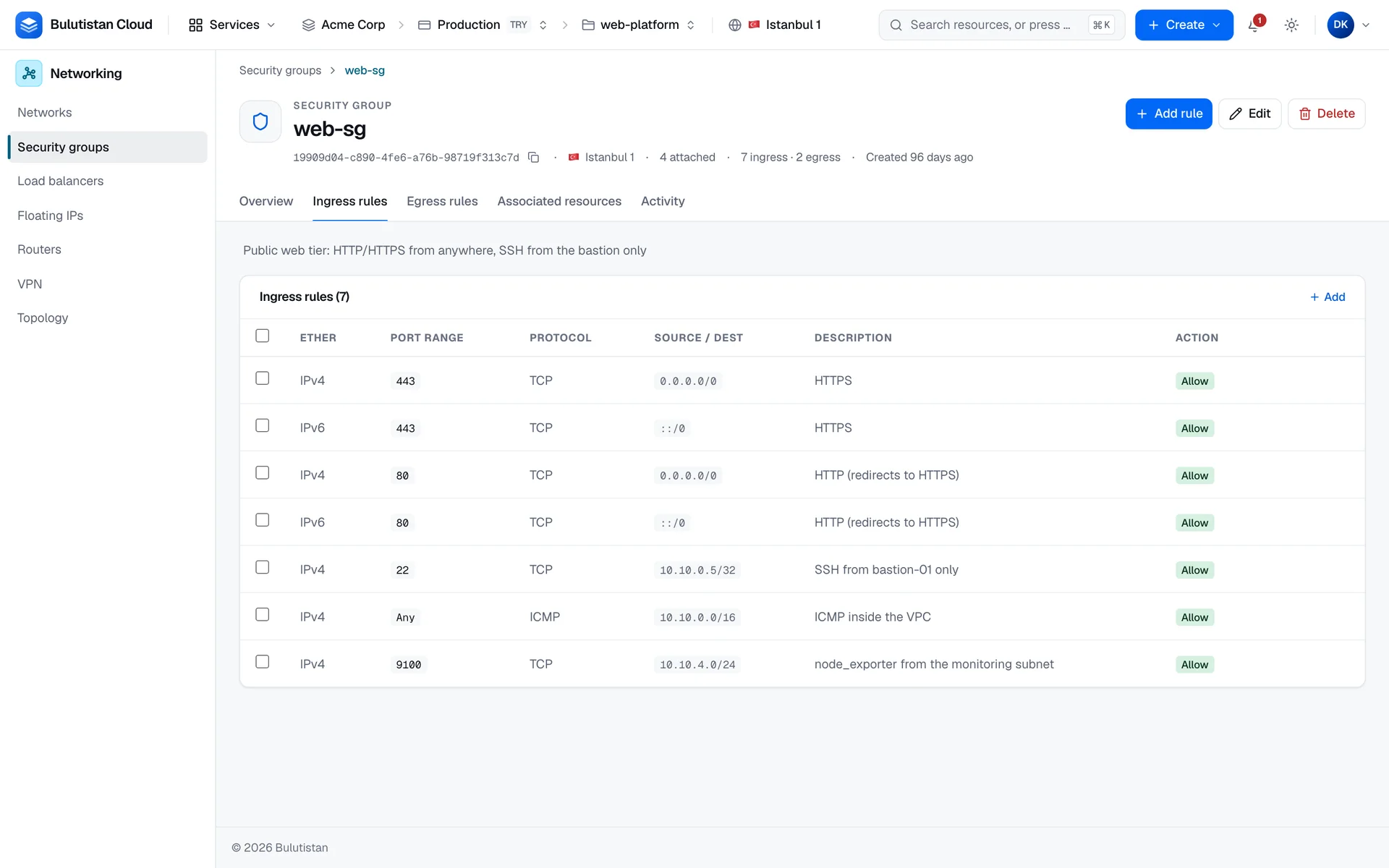
- Public web servers. Allow HTTPS and HTTP from anywhere, and SSH only from your jump host.
- Database servers. Allow the database port only from the members of the application servers' security group.
- Administrative access. Allow SSH or RDP only from your office's public addresses, or only from your own address with My IP.
Billing
Security groups and their rules aren't billed.
Limits
- A group's name has 1–63 lowercase letters, numbers, and hyphens, and is unique within the project.
- Ports in rules range from 1 to 65535. In a range, the first port can't be greater than the last.
- A group that a port uses can't be deleted, and neither can the
defaultgroup. - Security groups and their rules count against the subscription's quota and the project's allocation. A new project starts with an allocation of up to 10 security groups and 100 security group rules, as far as the subscription's limits have room left. See Quotas.
Related services
- Virtual Networks: the networks and ports that security groups protect.
- Virtual Machines: choose security groups when you create an instance.
- Load Balancers: spread traffic over servers that your security groups let it reach.
Next steps
Security group rules
Directions, protocols, ports, sources, and the default rules.
Create and edit security groups and rules
Create a group, add and edit rules, and delete groups.
View the effective rules of a virtual machine
See every ingress rule that applies to an instance.
Security Groups FAQ
Answers to common questions.