
What is Load Balancers?
Learn what Load Balancers offers, how listeners, pools, members, and health monitors fit together, and which dimensions you are billed for.
Load Balancers distributes incoming traffic across the servers in your project. A load balancer receives traffic on a virtual IP address (VIP) in a subnet that you choose and passes it to the members of a backend pool. A health monitor checks the members so that traffic avoids members that stop responding. You create a load balancer with a six-step wizard that ends with a review of the request.
Key features
- Guided creation. Six steps: details, listener, pool, members, health monitor, and a review that shows the request before anything is created. See Create a load balancer.
- Listeners. Accept traffic on a protocol and a port of the VIP. See Listeners.
- Three balancing algorithms. Round robin, least connections, and source IP. See Pools.
- Members from your servers. Pick servers from your project, or enter an address. Add members when you create the load balancer or later. See Add a target.
- Health monitors. HTTP, HTTPS, TCP, or PING probes with your own delay, timeout, and retry settings, and a URL path and expected codes for HTTP and HTTPS probes. See Health monitors.
- Automatic or fixed VIP. The platform assigns the VIP from the subnet, or you set the address. See Load balancer and VIP.
- Changes after creation. Add and remove listeners, pools, and targets on the load balancer's page. See Manage listeners, pools, and members.
How it works
A load balancer belongs to a project and runs in the project's region. Its VIP is an address in a subnet of one of the project's networks. A listener accepts connections for one protocol and port on the VIP and hands them to its default pool. The pool spreads them across its members with its balancing algorithm. A member is an IP address and port, such as one of your servers, and a health monitor attached to the pool probes the members.
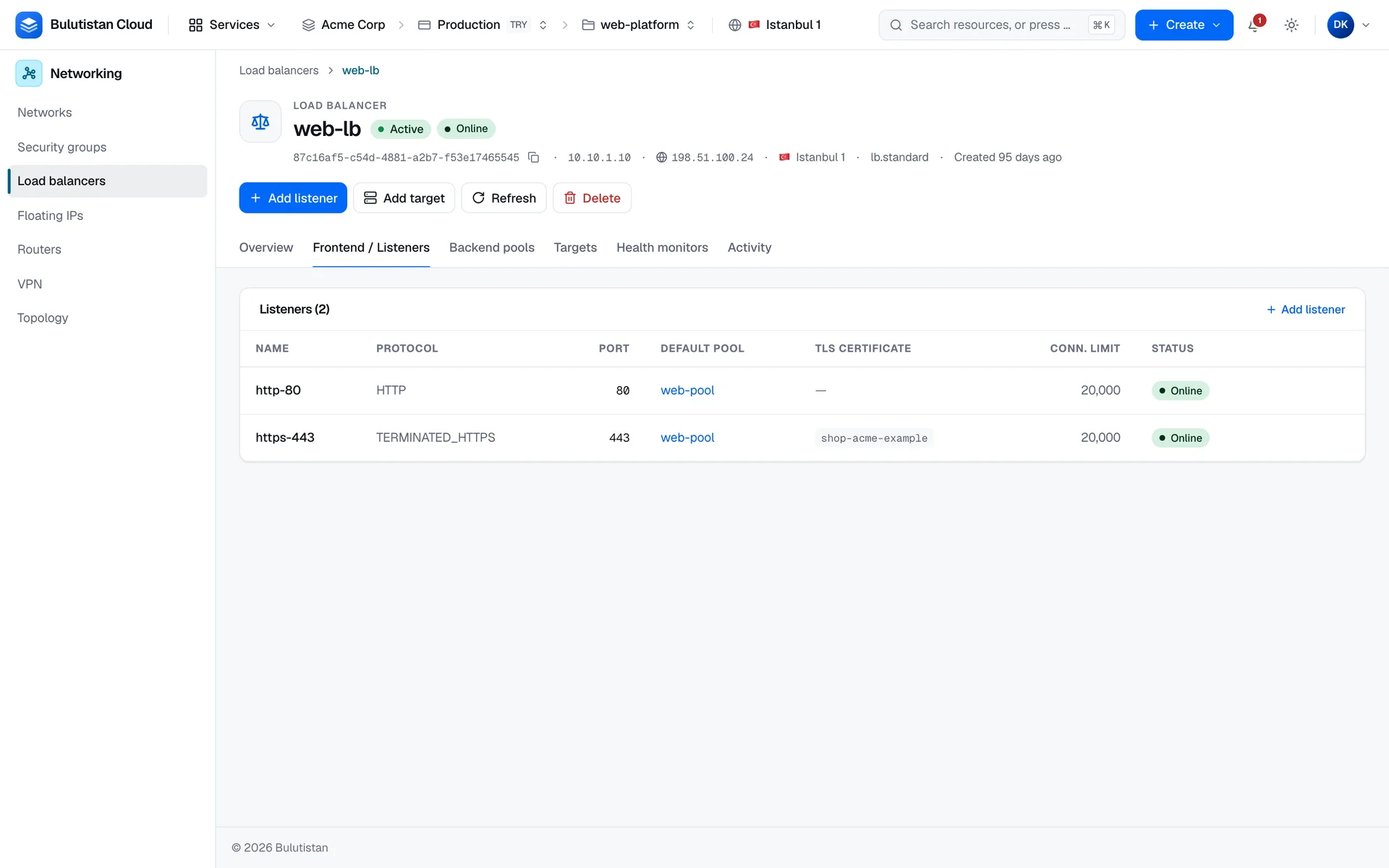
The wizard creates one listener, default-listener, and one pool, default-pool, and connects the two. It also adds the members and the health monitor that you specify. On the load balancer's page, the tabs Frontend / Listeners, Backend pools, Targets, and Health monitors show each part with its status.
Creating a load balancer and changing it run as asynchronous operations. A new load balancer is Pending create while it's built, and then Active, or Error if the build failed. While a load balancer is Pending create or Pending delete, or in Error, changes to its listeners, pools, and health monitors, and new targets, are refused. Delete a load balancer in Error, and create a new one. Besides recording the result of each operation, the platform reads the project's load balancers from the load balancing service at regular intervals and records the statuses that the service reports. For the statuses, see Statuses.
Load Balancers is available where the project's region offers it. In a region that doesn't, the console leaves Load balancers out of the menu, a link to a load balancer page shows a notice instead of the page, and new load balancers are refused.
Use cases
- Highly available web applications. Spread traffic over several web servers so that no single server is critical.
- Scale-out APIs. Add members as load grows.
- Maintenance without downtime. Take a member out of the pool while the others keep serving.
Billing
Load Balancers bills these dimensions:
| Dimension | How it's billed |
|---|---|
| Load balancer | Per hour, metered per second, from creation until the deletion completes. The size you choose doesn't change the hourly rate. Delete a load balancer that shows Error. |
| Outbound traffic | Per GB that the load balancer sends, metered per hour. |
The hourly charge is billed for at least 60 seconds over the load balancer's lifetime; the minimum doesn't apply to traffic. Traffic that a load balancer sends is billed once, as load balancer traffic: the project's router doesn't count it again as router egress. For how usage becomes charges on your invoice, see How billing works and Per-second metering. For prices, see Pricing.
Limits
- A load balancer's name has 1–255 characters and must be unique among the load balancers of your tenant.
- A pool has at most one health monitor.
- Each listener on a load balancer needs its own port. A listener's protocol and port, and a pool's protocol, can't be changed after they're created.
- Load balancers, listeners, pools, members, and health monitors count against the subscription's quota and the project's allocation in the Load Balancing category. A new project's allocation starts at 1 load balancer, 5 listeners, 5 pools, 20 members, and 5 health monitors, or at what's left of the subscription's quota if that's less. See Quotas.
Related services
- Virtual Networks: the networks and subnets that hold the VIP and your servers.
- Virtual Machines: the servers that you add as members.
- Security Groups: rules that filter traffic to your servers.
- Activity Log: the operations that created and changed your load balancers.
- Cost Management: analyze and budget your spend.
Next steps
Create a load balancer
Every step and field of the creation wizard.
Listeners, pools, members, and health monitors
What each part does, the values it accepts, and what its statuses mean.
Manage listeners, pools, and members
Add, edit, and remove the parts of an existing load balancer.
Load Balancers FAQ
Answers to common questions.